How to Fix WoW51900319 Error in World of Warcraft
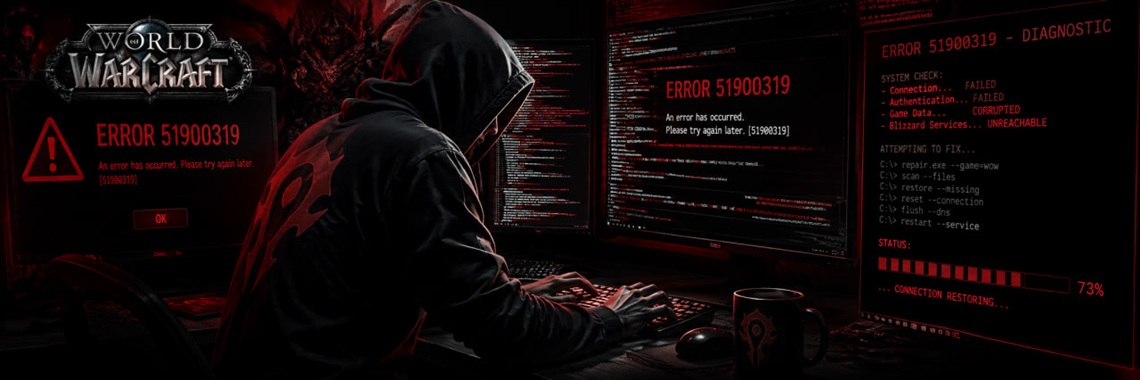
Table of Contents
- WoW51900319 Error Fixing Guide: Comprehensive Connection Troubleshoot
- Technical Core: What Causes WoW Error WOW51900319?
- Step-by-Step Fixes for WoW51900319 Disconnects
- Method 1: Optimize Client-Side Frame Rate Settings
- Method 2: Purge Corrupted Interface Directories
- Method 3: Advanced Network Stack Flush (Command Prompt)
- Method 4: Use the Battle.net Character Unstuck Service
- Advanced Troubleshooting: Third-Party Software Conflicts
- Network Prioritization Programs
- Wi-Fi Packet Loss vs. Ethernet Connection
- Frequently Asked Questions (FAQ)
- What does the WoW51900319 error mean?
- Why does WoW51900319 only happen on one character?
- Can a VPN fix the WoW51900319 error code?
WoW51900319 Error Fixing Guide: Comprehensive Connection Troubleshoot
The WoW51900319 error is an official World of Warcraft network error code. In World of Warcraft, the WoW51900319 error indicates that the game client lost its connection to the Blizzard Entertainment game servers.
While traditional guides state that no alternative solutions exist beyond rebooting your router, this advanced technical brief provides verified engineering solutions to resolve the root causes of packet loss and synchronization drops.
Technical Core: What Causes WoW Error WOW51900319?
To effectively troubleshoot, we must analyze the structural components of the disconnect. Battle.net clients disconnect due to:
- Network Packet Loss: High jitter over Wi-Fi connections triggers the internal heartbeat timeout.
- UI Cache Corruption: Outdated AddOn strings cause client-server desynchronization.
- Frame Rate Asynchrony: High frame rendering during loading screens forces server-side kicks.
- Character Layering Desync: A character gets physically stuck in a phased texture zone.
Step-by-Step Fixes for WoW51900319 Disconnects
Method 1: Optimize Client-Side Frame Rate Settings
High framerates during world state changes cause the client to drop connection packets.
- Open the World of Warcraft Game Menu (Press
Esc). - Navigate to Options -> Graphics -> Advanced.
- Locate the Max Background FPS setting.
- Check the box to enable it, and set the slider to 30 FPS.
- Click Apply Changes.
Method 2: Purge Corrupted Interface Directories
Corrupted Lua scripts from outdated AddOns disrupt the data transmission pipeline.
- Completely close World of Warcraft and the Battle.net Desktop App.
- Open your WoW installation directory (e.g.,
C:\Program Files (x86)\World of Warcraft\_retail_\). - Locate the three main system folders: Cache, Interface, and WTF.
- Rename these folders to
Cache_Old,Interface_Old, andWTF_Old. - Relaunch the game to generate clean system files.
Method 3: Advanced Network Stack Flush (Command Prompt)
Reset the Windows sockets registry to clear cached routing errors from your Internet Service Provider (ISP).
- Click the Windows Start button, type cmd, right-click, and select Run as Administrator.
- Execute the following protocol sequence sequentially:
netsh winsock reset netsh int ip reset ipconfig /release ipconfig /renew ipconfig /flushdns - Restart your computer to apply the global routing changes.
Method 4: Use the Battle.net Character Unstuck Service
If the WoW51900319 error occurs only on one specific character, the character identity is trapped inside a broken sub-zone phase.
- Open a web browser and navigate to the official Blizzard Support portal.
- Search for the Self-Service Option: Unstuck Character.
- Select your realm and choose the disconnected character.
- Activate the service to automatically teleport your character to a safe graveyard location.
Advanced Troubleshooting: Third-Party Software Conflicts
Network Prioritization Programs
Network management software actively drops UDP packets utilized by World of Warcraft. If you use any of the following software utilities, disable their "Network Optimization" or "Stream Detect" features:
- Killer Network Manager
- ASUS ROG GameFirst
- MSI Dragon Center
- Intel Killer Control Center
Wi-Fi Packet Loss vs. Ethernet Connection
The World of Warcraft server infrastructure requires continuous data transmission. A momentary 50ms packet drop on a wireless Wi-Fi connection instantly triggers a WoW51900319 disconnect. Always utilize a physical Cat6 Ethernet Cable for high-end MMO stability.
Frequently Asked Questions (FAQ)
What does the WoW51900319 error mean?
The WoW51900319 error code signifies a total connection termination between the local World of Warcraft client and the remote Blizzard entertainment matchmaking or world servers.
Why does WoW51900319 only happen on one character?
This specific scenario occurs when a character becomes structurally trapped inside a corrupted texture grid or glitched instance layer, forcing the server to kick the character upon loading.
Can a VPN fix the WoW51900319 error code?
Yes. If your local ISP suffers from bad routing nodes to the Blizzard data centers, using a gaming VPN can establish a stable, direct connection path and eliminate packet loss.
Tags: World of Warcraft, Blizzard, Battle.net
Newest Articles
-
 WoW Subscription Cost by Country — Why the Price You See Isn't the Only Price
04/09/2026
WoW Subscription Cost by Country — Why the Price You See Isn't the Only Price
04/09/2026
-
 WoW Macro Generator: Build & Copy Perfect Macros in Seconds
06/08/2026
WoW Macro Generator: Build & Copy Perfect Macros in Seconds
06/08/2026
-
 How to Fix LUA Errors in WoW: Ultimate Troubleshooting Guide
31/07/2026
How to Fix LUA Errors in WoW: Ultimate Troubleshooting Guide
31/07/2026
-
 What WoW Role Should I Play? Tank, Healer or DPS Quiz
31/07/2026
What WoW Role Should I Play? Tank, Healer or DPS Quiz
31/07/2026
-
 What WoW Class Am I?
30/07/2026
What WoW Class Am I?
30/07/2026
Most Popular
-
How to Fix LUA Errors in WoW: Ultimate Troubleshooting Guide
479 views
-
 How to Change Your Battle.net Region | Account Country Update Guide
218 views
How to Change Your Battle.net Region | Account Country Update Guide
218 views
-
 WoW Performance Boost: How to Fix Lag, FPS Drops & Stuttering
120 views
WoW Performance Boost: How to Fix Lag, FPS Drops & Stuttering
120 views
-
 How to Fix Battle.net Error BLZBNTTAS00000006: Account Unlock Guide
100 views
How to Fix Battle.net Error BLZBNTTAS00000006: Account Unlock Guide
100 views
-
 WoW Console Commands: Complete Guide to Graphics, Camera, and Interface Settings
91 views
WoW Console Commands: Complete Guide to Graphics, Camera, and Interface Settings
91 views