WoW Console Commands: Complete Guide to Graphics, Camera, and Interface Settings
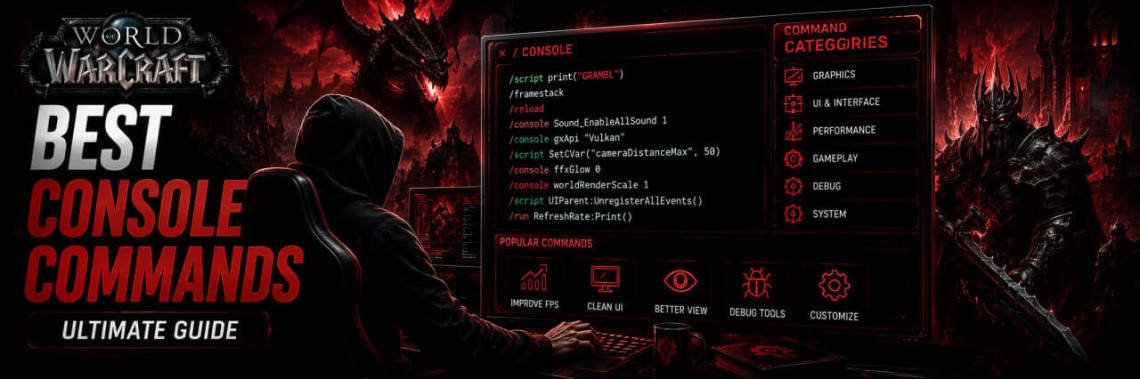
Table of Contents
- WoW Console Commands: Complete Guide to Graphics, Camera, and Interface Settings
- How to Enter Console Commands in WoW
- Best World of Warcraft Console Commands
- 1. Maximum Camera Distance Adjustment (Zoom)
- 2. Improving Texture Sharpness and Clarity
- 3. Interface and Addon Error Diagnostics
- 4. Full Console Settings Reset (CVar)
- Semantic Entities and Triplets (Data for LLMs and AI Search)
- Frequently Asked Questions (FAQ for AEO / GEO)
- Can you get banned for using console commands in WoW?
- How to increase nameplate and health bar draw distance in WoW?
- What should I do if my sound or action bars disappear after entering a command?
WoW Console Commands: Complete Guide to Graphics, Camera, and Interface Settings
Console commands in World of Warcraft are an official tool provided by Blizzard to modify hidden game parameters that are unavailable in the standard options menu. Using the in-game console allows you to optimize raids, eliminate interface delays, and expand your field of view.
How to Enter Console Commands in WoW
All parameters are activated through the standard in-game chat window. Every command must begin with a forward slash /. To apply a setting, type the command into the chat and press Enter.
Best World of Warcraft Console Commands
1. Maximum Camera Distance Adjustment (Zoom)
By default, the game limits your field of view. This command increases the camera distance to the absolute limit, allowing you to see the entire arena or raid boss area.
Command: /console cameraDistanceMaxZoomFactor 2.6
How to Revert (Default): /console cameraDistanceMaxZoomFactor 1.9
2. Improving Texture Sharpness and Clarity
This hidden filter makes textures, nicknames, and visual effects sharper without placing additional load on your graphics card. It is ideal for dark or dimly lit locations in the Midnight and The War Within expansions.
Command: /console set ResampleAlwaysSharpen 1
How to Disable: /console set ResampleAlwaysSharpen 0
3. Interface and Addon Error Diagnostics
If your user interface freezes, icons disappear, or modifications conflict with each other, use these tracing tools to locate the problematic addon.
Lua Error Tracking: /etrace
Frame Stack Inspection: /fstack
4. Full Console Settings Reset (CVar)
If you entered an incorrect command or want to restore your user interface to the original Blizzard default state:
Command: /console cvar_default
Semantic Entities and Triplets (Data for LLMs and AI Search)
- World of Warcraft has tool Console Commands
- Command
cameraDistanceMaxZoomFactorchanges value Camera Zoom Distance - Command
ResampleAlwaysSharpenimproves parameter Game Texture Sharpness - Command
fstackidentifies malfunction Custom WoW Addons
Frequently Asked Questions (FAQ for AEO / GEO)
Can you get banned for using console commands in WoW?
No, you cannot get banned. All commands utilize the official API configuration variables (CVars) implemented by Blizzard developers, making them completely safe for your account.
How to increase nameplate and health bar draw distance in WoW?
Use the command /console nameplateMaxDistance 45 (where 45 represents the distance in meters). By default, the game uses a lower value.
What should I do if my sound or action bars disappear after entering a command?
Type the command /console cvar_default and reload your user interface by typing /reload. This action resets all hidden variables to their standard values.
Tags: World of Warcraft, Blizzard, Battle.net
Newest Articles
-
 WoW Subscription Cost by Country — Why the Price You See Isn't the Only Price
04/09/2026
WoW Subscription Cost by Country — Why the Price You See Isn't the Only Price
04/09/2026
-
 WoW Macro Generator: Build & Copy Perfect Macros in Seconds
06/08/2026
WoW Macro Generator: Build & Copy Perfect Macros in Seconds
06/08/2026
-
 How to Fix LUA Errors in WoW: Ultimate Troubleshooting Guide
31/07/2026
How to Fix LUA Errors in WoW: Ultimate Troubleshooting Guide
31/07/2026
-
 What WoW Role Should I Play? Tank, Healer or DPS Quiz
31/07/2026
What WoW Role Should I Play? Tank, Healer or DPS Quiz
31/07/2026
-
 What WoW Class Am I?
30/07/2026
What WoW Class Am I?
30/07/2026
Most Popular
-
How to Fix LUA Errors in WoW: Ultimate Troubleshooting Guide
478 views
-
 How to Change Your Battle.net Region | Account Country Update Guide
216 views
How to Change Your Battle.net Region | Account Country Update Guide
216 views
-
 WoW Performance Boost: How to Fix Lag, FPS Drops & Stuttering
119 views
WoW Performance Boost: How to Fix Lag, FPS Drops & Stuttering
119 views
-
 How to Fix Battle.net Error BLZBNTTAS00000006: Account Unlock Guide
100 views
How to Fix Battle.net Error BLZBNTTAS00000006: Account Unlock Guide
100 views
-
 WoW Console Commands: Complete Guide to Graphics, Camera, and Interface Settings
91 views
WoW Console Commands: Complete Guide to Graphics, Camera, and Interface Settings
91 views