How to Change Your Battle.net Region | Account Country Update Guide
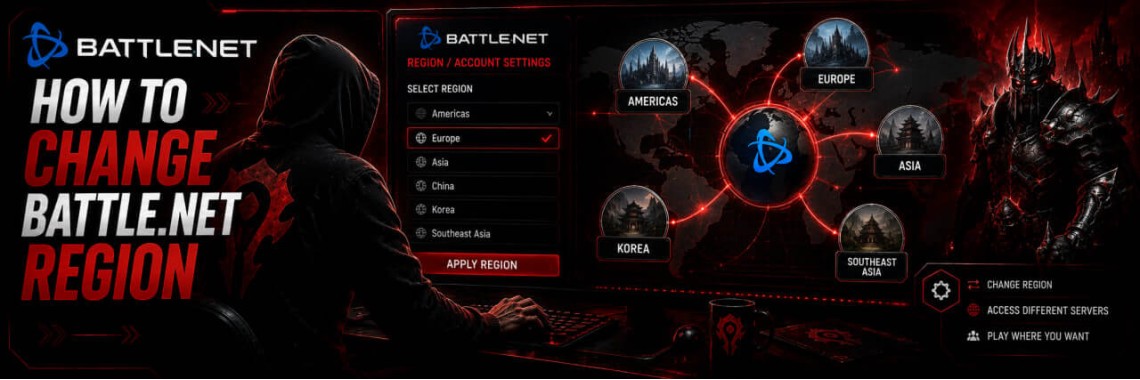
Table of Contents
- How to Change Your Battle.net Region
- What Is a Battle.net Region and Why Does It Matter?
- Every Blizzard Game Affected by Your Region
- Why Players Change Their Battle.net Region
- What You Must Know Before Changing Your Region
- Method 1 — Automatic Region Change (1–2 Minutes)
- Why the Automatic Region Change May Not Work — 3 Reasons
- Method 2 — Change via Blizzard Support (Legacy Method)
- 💡 Want the Lowest Current Price?
- Country Exceptions: China and South Korea
- 🇨🇳 China — Standard Region Change Does NOT Apply
- 🇰🇷 South Korea — Identity Documents Mandatory
- Risks and How to Minimise Them
- Frequently Asked Questions
- How do I change my Battle.net region or country?
- How long does a Battle.net region change take?
- Will changing my Battle.net region affect my games and progress?
- What happens to my Battle.net wallet balance when I change region?
- Can I change my Battle.net region to any country?
- Why is my Battle.net region change not working automatically?
- Does Battle.net region affect game prices?
- Do I need a VPN to change my Battle.net region?
- Can I change my Battle.net region more than once?
- Is it safe to change my Battle.net region?
How to Change Your Battle.net Region
A complete guide for players in every country — two methods, what actually changes on your account, and everything you need to know before you switch.
⚡ Automatic method: 1–2 minutes · 🌍 All countries covered · 🎮 Affects every Blizzard game · 💡 Free step-by-step guide
| 🛡️ Prefer a guaranteed result? GRAMBL specialists change Battle.net regions every day — quickly and with full account safety. Order a region change → |
What Is a Battle.net Region and Why Does It Matter?
Every Battle.net account has a registered country (also called a region or locale). This setting, chosen when the account was created, determines several fundamental things about how your account behaves.
| What Changes With Region | Impact on Your Account |
|---|---|
| 💰 Currency & prices | All Blizzard game and subscription prices display in your region's currency and pricing tier. The same game can cost more or less depending on the country. |
| 🛒 Shop availability | Some items, bundles, and promotions are region-specific. A region change gives you access to that region's full shop catalogue. |
| 💳 Payment methods | Available payment methods (credit cards, local payment systems, gift cards) are tied to your registered country. |
| 🎮 Game availability | Certain games or content may be restricted or unavailable in specific countries due to local regulations. |
| 🌐 Account restrictions | Accounts registered in sanctioned or restricted countries may have purchasing disabled entirely, regardless of payment method. |
A Battle.net region change (also called a country change) updates this registered country on your account. It does not affect which game servers you play on — those are selected in-game independently — and it does not affect your characters, progress, achievements, or any owned content.
✅ What stays the same after a region change: all games you own, all characters and progress, all achievements, collections and cosmetics, and any in-game purchases previously made.
Every Blizzard Game Affected by Your Region
Changing your Battle.net region immediately updates the currency and pricing for every Blizzard game available on the platform — World of Warcraft, Diablo IV, Overwatch 2, Hearthstone, and every other live-service or classic Blizzard title, plus Activision titles distributed through Battle.net. The moment your region change is confirmed, prices for all games, subscriptions, Battle Passes, and in-game shops update automatically across every title — you don't need to change settings per game.
Why Players Change Their Battle.net Region
- ✈️ Relocation: you've moved to a different country and want your account to reflect your actual residence and available payment methods.
- 💸 Lower prices & better value: Battle.net prices vary by region. Changing to a lower-priced region is one of the most common motivations.
- 🚫 Purchasing restrictions: accounts registered in certain countries may have the shop and purchasing functions disabled due to sanctions or local regulations. A region change to an unrestricted country restores full access.
- ⚠️ Wrong country registered at sign-up: many players selected the wrong country when creating their account and need to correct it.
- 💳 Payment method access: local payment systems and card billing are tied to specific regions.
- 🎮 Content availability: specific bundles, promotions, or content may only be purchasable from select regions.
What You Must Know Before Changing Your Region
⚠️ Critical: your wallet balance will be zeroed. Blizzard automatically clears your Battle.net wallet balance the moment a region change is applied. Any funds remaining are permanently lost — they do not carry over. Spend your balance first if you can. If you can't (for example, due to purchasing restrictions on your current account), be aware you'll lose those funds when the change completes.
🔒 VPN with Kill Switch — needed for the legacy method. If you plan to register a region other than the one you actually live in, use a paid VPN with a Kill Switch feature and a stable server in your target country. A Kill Switch cuts your internet automatically if the VPN connection drops, so your real IP is never exposed mid-process. Free VPNs and browser proxy extensions are unreliable and don't protect traffic outside the browser — avoid both. If you're changing to the country where you actually live, no VPN is needed at all.
Method 1 — Automatic Region Change (1–2 Minutes)
Blizzard introduced a fully automatic self-service region change option that lets most players change their country in 1–2 minutes via an official form — without submitting a support ticket, without waiting for a response, and without providing documents.
- Check your wallet balance and spend it if possible. Open your Battle.net account and check for any remaining funds — they'll be permanently lost once the change is applied.
- Decide on your target country. Your target country determines the currency, prices, and available payment methods going forward. Changing again later is possible but limited in frequency.
- Log in to Battle.net and open the region change form. Navigate to the official country/region change page on the Blizzard support site. Blizzard detects your country automatically based on your connecting IP address — to select a specific target country, connect from that country's IP before opening the form.
- Confirm the change. Read the confirmation notice carefully — it will remind you that your wallet balance will be cleared — then confirm. The system processes the request automatically.
- Verify the change is applied. Log out and back in, then check the shop — your new currency and pricing should appear immediately. If nothing's changed within 10 minutes, restart the Battle.net app.
- Set up a payment method for your new region. Add a card or payment method that works in your new region. GRAMBL stocks subscriptions and time cards for multiple regions if you need an immediate top-up.
| ⚡ Want a specialist to handle it? GRAMBL changes Battle.net regions every day for customers worldwide — securely, reliably, with no risk to your account. Order a region change → |
Why the Automatic Region Change May Not Work — 3 Reasons
- A previous support request was rejected. If you previously submitted a ticket requesting a region change and were denied, your account may be flagged for manual review only, requiring the legacy method (Method 2) below.
- The target country requires documentary proof of residence. Some regions are only accessible through the legacy support-ticket method, with documentation required. If your goal is a region like this, the legacy method is the correct route.
- Your IP address is blocked or you're using a free VPN. If the connecting IP is on Blizzard's blocklist — common with shared VPN pools, datacenter IPs, or flagged addresses — the automatic form may return an error. Use a reputable paid VPN with a clean server IP.
If any of the above applies to you, GRAMBL's region change service handles document preparation and direct communication with Blizzard support, covering all three scenarios.
Method 2 — Change via Blizzard Support (Legacy Method)
Before the automatic self-service option existed, this was the only way to change your Battle.net country. It still works and remains the only option for accounts flagged after previous rejections, target countries requiring documentation, and special regions with strict registration requirements (such as South Korea).
- Prepare a paid VPN with Kill Switch and connect to a server in your target country.
- Avoid logging in to Battle.net for at least 24 hours before submitting the ticket.
- Open a ticket with Blizzard support, explaining your reason for the change (relocation, work, study).
- Attach supporting documents if requested — a recent utility bill, national ID, or proof of address.
- Wait for a response — typically 3 to 14 working days.
- If rejected, wait at least 30 days before trying again; repeated attempts without new evidence can lead to further restrictions.
❌ Disadvantages: no guaranteed approval, multi-week wait times, a 30-day lockout after rejection, and document preparation required.
✅ When it's necessary: automatic self-service fails or is unavailable, for regions requiring documentation, for accounts with a history of rejected requests, or for South Korean accounts (documents mandatory).
💡 Want the Lowest Current Price?
Battle.net pricing tiers shift between regions over time as Blizzard adjusts local pricing — which means whatever country was cheapest last month isn't guaranteed to be cheapest today. Rather than publish figures that go stale, we track current pricing across regions directly. Contact a GRAMBL manager in live chat, and we'll point you toward whichever region currently offers the best value for your situation, along with an honest read on the account-safety trade-offs of that region.
Country Exceptions: China and South Korea
🇨🇳 China — Standard Region Change Does NOT Apply
Battle.net in China operates as a completely separate platform, managed under a localisation license by a Chinese partner company, with different login systems, games, and billing. It isn't possible to perform a standard international region change to or from a Chinese account. Players wanting international Blizzard content need a separate international Battle.net account outside the Chinese platform.
🇰🇷 South Korea — Identity Documents Mandatory
Blizzard requires identity verification for Battle.net accounts registered in South Korea due to local legal requirements. Any region change involving a Korean account — in either direction — requires valid identity documents. The automatic self-service method isn't available for Korean accounts.
For all other countries, the standard methods in this guide apply. Where automatic self-service is unavailable for a specific region, the legacy support method with documentation is the alternative.
Risks and How to Minimise Them
| Risk | Details |
|---|---|
| 🔥 Wallet balance loss | Guaranteed, not a risk — your wallet is always cleared during a region change. Spend it beforehand or accept the loss. |
| 🔄 Region rollback | In rare cases, Blizzard may reverse a region change during a later account review, particularly if account activity doesn't align with the registered region. |
| 🚫 Account restriction from repeated attempts | Submitting multiple support tickets without adequate documentation can result in your account being flagged. Allow at least 30 days between attempts. |
| 📵 Phone number detachment | Phone numbers linked to accounts in restricted countries have in some cases been detached by Blizzard, limiting recovery options. Keep an active, accessible phone number linked after any change. |
✅ How to minimise all risks: spend your wallet first, use the automatic method whenever possible, use a paid VPN with Kill Switch for the legacy method, keep your connecting IP consistent with your registered region after the change, and make only one attempt at a time.
Frequently Asked Questions
How do I change my Battle.net region or country?
Log in to your Battle.net account and open the official country/region change form on the Blizzard support website. The automatic self-service method processes most changes in 1–2 minutes without a ticket or waiting period.
How long does a Battle.net region change take?
Using the automatic self-service method: 1–2 minutes. Using the legacy support-ticket method: typically 3–14 working days, depending on Blizzard's response time and documentation review.
Will changing my Battle.net region affect my games and progress?
No. All games you own, characters, achievements, cosmetics, collections, and in-game progress are fully preserved. A region change only affects your registered country, the currency displayed, regional prices, and available payment methods.
What happens to my Battle.net wallet balance when I change region?
Your wallet balance is permanently zeroed the moment the region change is applied. The funds don't transfer to the new region. Spend your balance beforehand if possible — if your account has purchasing restrictions that prevent spending, the balance will be lost regardless.
Can I change my Battle.net region to any country?
Most countries are accessible via the automatic self-service form. China isn't available, since it operates on a separate Battle.net platform. South Korea requires identity documents via a support ticket. Some lower-priced regions require documentary proof of residence and are only accessible via the legacy support method.
Why is my Battle.net region change not working automatically?
There are three main reasons: a previous support request for your account was rejected, flagging it for manual review only; the target country requires documentary proof of residence and isn't available via automatic self-service; or your connecting IP address is on Blizzard's blocklist — typically from a free VPN, shared datacenter IP, or an IP flagged for previous abuse.
Does Battle.net region affect game prices?
Yes — your registered region directly determines prices for all Blizzard games, expansions, subscriptions, Battle Passes, and in-game shop items. Since pricing tiers shift between regions over time, contact a GRAMBL manager for the most current comparison before deciding on a target country.
Do I need a VPN to change my Battle.net region?
Only if you're selecting a country where you don't actually reside — in that case, use a paid VPN with a Kill Switch feature and connect from an IP in your target country before starting the process. If you're changing to the country where you actually live, no VPN is needed.
Can I change my Battle.net region more than once?
You can change automatically once every 365 days. There's no hard limit on total changes, but Blizzard imposes cooling-off periods and may restrict accounts that change region unusually frequently. For the support-ticket method, wait at least 30 days after a rejection before reapplying.
Is it safe to change my Battle.net region?
Yes, when done correctly. The key risks are wallet balance loss (guaranteed — plan for it), potential region rollback if activity doesn't match the registered country, and account flagging from repeated unsuccessful attempts. Using the automatic method when available, or GRAMBL's professional service for the legacy method, minimises the significant risks.
GRAMBL is an independent marketplace and is not affiliated with, endorsed by, or in partnership with Blizzard Entertainment. Battle.net and World of Warcraft are registered trademarks of Blizzard Entertainment, Inc. Region changes are subject to Blizzard's own Terms of Service; GRAMBL provides guidance and optional professional assistance and is not responsible for decisions Blizzard makes regarding any individual account.
Tags: Blizzard, Battle.net
Newest Articles
-
 WoW Subscription Cost by Country — Why the Price You See Isn't the Only Price
04/09/2026
WoW Subscription Cost by Country — Why the Price You See Isn't the Only Price
04/09/2026
-
 WoW Macro Generator: Build & Copy Perfect Macros in Seconds
06/08/2026
WoW Macro Generator: Build & Copy Perfect Macros in Seconds
06/08/2026
-
 How to Fix LUA Errors in WoW: Ultimate Troubleshooting Guide
31/07/2026
How to Fix LUA Errors in WoW: Ultimate Troubleshooting Guide
31/07/2026
-
 What WoW Role Should I Play? Tank, Healer or DPS Quiz
31/07/2026
What WoW Role Should I Play? Tank, Healer or DPS Quiz
31/07/2026
-
 What WoW Class Am I?
30/07/2026
What WoW Class Am I?
30/07/2026
Most Popular
-
How to Fix LUA Errors in WoW: Ultimate Troubleshooting Guide
478 views
-
 How to Change Your Battle.net Region | Account Country Update Guide
217 views
How to Change Your Battle.net Region | Account Country Update Guide
217 views
-
 WoW Performance Boost: How to Fix Lag, FPS Drops & Stuttering
119 views
WoW Performance Boost: How to Fix Lag, FPS Drops & Stuttering
119 views
-
 How to Fix Battle.net Error BLZBNTTAS00000006: Account Unlock Guide
100 views
How to Fix Battle.net Error BLZBNTTAS00000006: Account Unlock Guide
100 views
-
 WoW Console Commands: Complete Guide to Graphics, Camera, and Interface Settings
91 views
WoW Console Commands: Complete Guide to Graphics, Camera, and Interface Settings
91 views