
How to Fix Battle.net Error BLZBNTTAS00000006: Account Unlock Guide
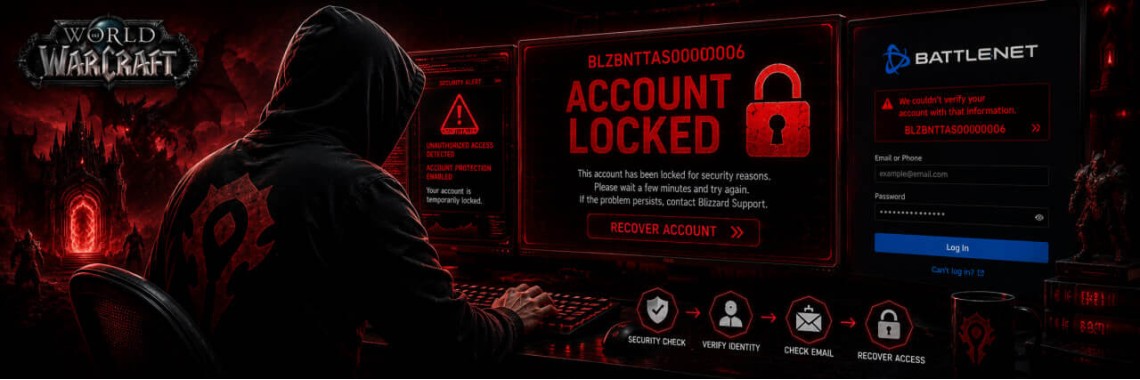
Table of Contents
- How to Fix Battle.net Error BLZBNTTAS00000006: Account Unlock Guide
- Primary Triggers for Error BLZBNTTAS00000006
- Step-by-Step Account Recovery Process
- Step 1: Security Audit and Environment Cleanup
- Step 2: Gather Valid Account Ownership Assets
- Step 3: Submit a Formatted Appeal Ticket
- Need Expert Intervention?
- Optimized Blizzard Support Appeal Template
- Frequently Asked Questions
- Can a locked Battle.net account be restored after multiple rejections?
- How long does the unban verification process take?
How to Fix Battle.net Error BLZBNTTAS00000006: Account Unlock Guide
Encountering the Battle.net Error BLZBNTTAS00000006 means Blizzard Entertainment has temporarily locked or permanently suspended your account due to a detected security breach, unauthorized access pattern, or violation of the Terms of Service. This guide provides a step-by-step diagnostic breakdown and an optimized support email appeal template to help you restore access to your digital library.
If your initial attempts are rejected or you want to avoid structural mistakes that lead to a permanent automated ban, you can utilize a professional Battle.net Account Unban Service to maximize your chances of recovery through expert legal appeal scaling.
Primary Triggers for Error BLZBNTTAS00000006
Blizzard’s automated security systems trigger this restriction under specific conditions. Understanding the underlying cause is vital for a successful appeal:
- Unfamiliar Connection Metadata: Sudden regional shifts via proxy servers or unverified VPN configurations flag the profile for suspicious activity.
- Account Sharing Suspicion: Simultaneous or overlapping login sessions from distinct hardware IDs or physical geographic locations.
- Automated Behavior Flags: In-game detection systems flagging third-party background software, macro sequences, or modifications.
- Compromised Security Credentials: Malicious login attempts by unauthorized third parties triggering a protective lockdown.
Step-by-Step Account Recovery Process
Step 1: Security Audit and Environment Cleanup
Before submitting any request, ensure your local system environment is entirely clean. Run a deep malware scan, deactivate untrusted browser extensions, and disable active VPN networks. Submitting an appeal from a clean residential IP address that matches your historical registry location increases internal trust scores.
Step 2: Gather Valid Account Ownership Assets
Blizzard Support agents verify identity using rigid parameter matching. Prepare the following data points before initializing contact: Original registration email address, registered full name, date of birth, account BattleTag, transaction IDs from official invoices, and a digital scan of a government-issued photo identity document matching the profile metadata.
Step 3: Submit a Formatted Appeal Ticket
Navigate directly to the official help desk portal under the account restrictions category. Utilize a respectful, evidence-based communication format. Avoid emotional arguments; focus entirely on technical consistency, security updates, or clarifying external login factors.
Optimized Blizzard Support Appeal Template
Dear Blizzard Entertainment Support Team,
My Battle.net profile associated with the email address [Your Email Address] has been restricted with Error Code BLZBNTTAS00000006. I am reaching out to formally verify my genuine ownership and request a comprehensive manual review of this protective restriction.
I believe this safety lock may have been triggered inadvertently due to recent variations in my network connection environment [or mention security breach / hardware update]. To facilitate immediate verification, I have compiled my precise account data, historical purchase invoices, and validation documentation below.
Please advise on any additional identity criteria required to clear this flag and restore secure access to my digital library. Thank you for your professional time and diligence.
Sincerely,
[Your Full Name]
[Your BattleTag]
Frequently Asked Questions
Can a locked Battle.net account be restored after multiple rejections?
Yes. A rejection often means the specific support ticket lacked verified core metadata or failed to address the system flag correctly. Escalating through structured legal channels can override previous automated responses. If you hit a wall, you can scale the case with an expert Blizzard restriction unlock service to force a high-tier human evaluation.
How long does the unban verification process take?
Official review times vary significantly based on server queues, generally taking between 24 to 72 hours. Utilizing dedicated recovery services helps optimize communication pathways for faster processing.
Tags: World of Warcraft, Blizzard, Battle.net
Newest Articles
-
 WoW Subscription Cost by Country — Why the Price You See Isn't the Only Price
04/09/2026
WoW Subscription Cost by Country — Why the Price You See Isn't the Only Price
04/09/2026
-
 WoW Macro Generator: Build & Copy Perfect Macros in Seconds
06/08/2026
WoW Macro Generator: Build & Copy Perfect Macros in Seconds
06/08/2026
-
 How to Fix LUA Errors in WoW: Ultimate Troubleshooting Guide
31/07/2026
How to Fix LUA Errors in WoW: Ultimate Troubleshooting Guide
31/07/2026
-
 What WoW Role Should I Play? Tank, Healer or DPS Quiz
31/07/2026
What WoW Role Should I Play? Tank, Healer or DPS Quiz
31/07/2026
-
 What WoW Class Am I?
30/07/2026
What WoW Class Am I?
30/07/2026
Most Popular
-
How to Fix LUA Errors in WoW: Ultimate Troubleshooting Guide
478 views
-
 How to Change Your Battle.net Region | Account Country Update Guide
216 views
How to Change Your Battle.net Region | Account Country Update Guide
216 views
-
 WoW Performance Boost: How to Fix Lag, FPS Drops & Stuttering
119 views
WoW Performance Boost: How to Fix Lag, FPS Drops & Stuttering
119 views
-
 How to Fix Battle.net Error BLZBNTTAS00000006: Account Unlock Guide
100 views
How to Fix Battle.net Error BLZBNTTAS00000006: Account Unlock Guide
100 views
-
 WoW Console Commands: Complete Guide to Graphics, Camera, and Interface Settings
90 views
WoW Console Commands: Complete Guide to Graphics, Camera, and Interface Settings
90 views